
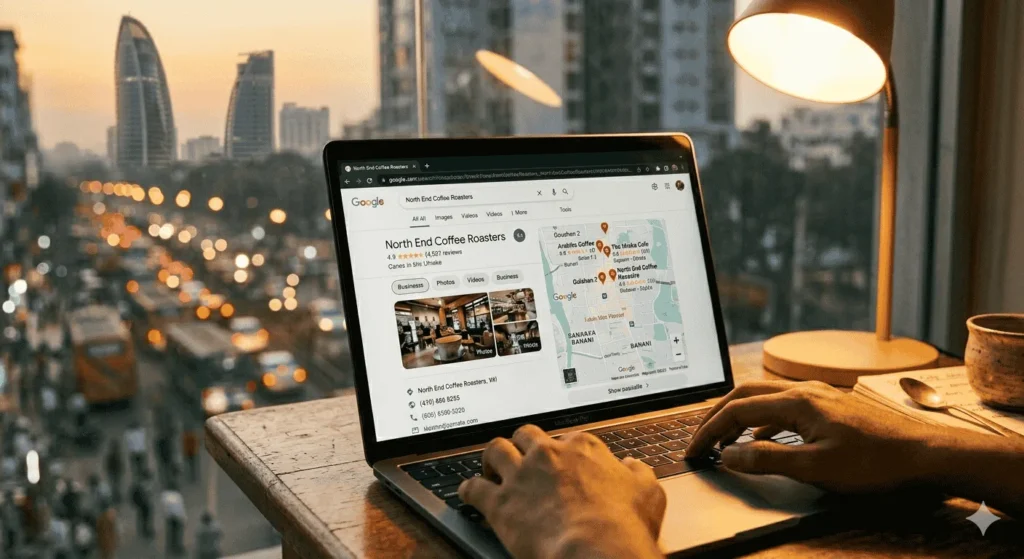
If your business isn’t showing up when someone in Dhaka searches “[your service] near me,” your Google Business Profile is the first place I’d look. Most BD businesses either haven’t touched their GBP since the day they created it, or they set it up wrong from the start and never corrected it.
This guide walks you through every GBP optimization step — from verifying your listing to seeding your Q&A. By the end, you’ll have a fully optimized profile that competes for local pack positions in your city.
What you’ll need: a Google account with GBP access, your business details (registered name, address, phone number), and roughly 60–90 minutes.
Before You Start
What you’ll need:
- Google Business Profile account (business.google.com)
- Your business’s exact registered name (as it appears on your trade license)
- A consistent phone number and address you’ll use everywhere
- Your website URL
- 10–20 real photos of your business (exterior, interior, products/services, team)
- A list of your core services with short descriptions
Estimated time: 60–90 minutes for the initial setup; 15–20 minutes per week for ongoing maintenance
Difficulty: Intermediate
What you’ll be able to do after: Appear in Google’s Local Pack — those three map-backed results at the top of local searches — for relevant queries in your area. Generate calls, direction requests, and website visits directly from Google Search without running a single ad.
Step 1: Claim and Verify Your Listing
Go to business.google.com and sign in with your Google account. Search for your business name.
If a listing already exists — Google auto-generates them from public data, so it’s more common than you’d think — select it and click Claim this business. If nothing shows up, click Add your business to Google.
Enter your business name exactly as it appears on your trade license or storefront signage. Don’t add keywords here. “Dhaka Best AC Repair & Service” violates GBP policy and risks getting your listing suspended.
Verification methods available in Bangladesh:
- Postcard by mail — most common, takes 5–14 days to a physical address
- Phone or SMS — available for select business types
- Video verification — rolling out more widely; requires a short walkthrough video of your location
Don’t skip verification. An unverified listing can’t rank competitively and can be claimed by someone else.
⚠️ Common pitfall: If a listing already exists for your business, don’t create a new one alongside it. Duplicate listings split your review equity and send conflicting signals to Google. Claim the existing listing first and request removal of any duplicates through the GBP support portal.
Step 2: Lock Down Your NAP
NAP — Name, Address, Phone — is the foundation of local SEO. Every instance of your business information across the web needs to match exactly what’s in your GBP.
- Name: Real business name only. No keywords.
- Address: Use the format Google suggests when you type it in. If your office is “House 12, Road 4, Block C, Mirpur-10, Dhaka-1216” — that exact format goes on your website footer, Facebook page, and every directory you’re listed on.
- Phone: A local Bangladeshi number (01XXXXXXXXX format) signals local relevance more strongly than a generic hotline. If you have both, use the local number as your primary.
Open your website’s footer and contact page right now. Does the address match your GBP exactly? Same spelling, same comma placement? If not, fix the website first — inconsistent NAP data scattered across the web will undermine everything else you do here.
Step 3: Choose Your Primary Category
This is the single most important field in your entire GBP. Your primary category tells Google what type of business you are and determines which local searches you’re eligible to rank for. I’d spend more time on this decision than any other step.
To set it: GBP dashboard → Edit profile → Business category → Primary category.
Always use Google’s suggested categories — don’t type something custom. A few examples for Bangladeshi businesses:
- AC repair → Air conditioning contractor
- Restaurant in Gulshan → Bangladeshi restaurant or Restaurant
- Law firm in Motijheel → Law firm
- Skincare brand with a retail counter → Beauty supply store or Cosmetics store
The mistake I see constantly: choosing something vague like “Service establishment” because your specific niche isn’t listed. A close specific match — even if it’s not a perfect fit — outperforms a broad, generic category every time. Google uses this field as a primary relevance signal.
When I was running local SEO for Pro Dry Carpet Cleaning in Fort Lauderdale — a project that ended at 169 calls per month and 80.2% Share of Local Voice — auditing and correcting the primary category against top-ranking competitors was one of the early wins. It sounds minor. It isn’t.
⚠️ Common pitfall: Don’t copy a competitor’s category blindly. Check what category the top 3 local pack results are using for your target query, then choose the most accurate match for your own business. Accuracy matters more than mimicry.
Step 4: Add Secondary Categories
Secondary categories expand the range of searches you can appear for without diluting your primary relevance signal.
To add them: GBP → Edit profile → Business category → Add another category.
You can add up to 9 secondary categories. Don’t add 9 for the sake of it. Add only categories that reflect services a customer could realistically call you for.
Example for a Dhaka-based HVAC company:
- Primary: Air conditioning contractor
- Secondary: HVAC contractor, Appliance repair service, Heating contractor
What not to do: adding “Digital marketing agency” as a secondary category to a restaurant because the owner does some freelance social media work. Every category you add must represent a real service you offer.
Step 5: Complete Your Services Section
Go to Edit profile → Services. This section is massively underused by businesses in Bangladesh — which means it’s an easy competitive advantage if you fill it out properly.
Add each service individually. For each one:
- Give it a specific name — “Split AC Installation” not “AC Service”
- Write a description (up to 300 characters) — include the service type, your location, and a specific detail: “Professional split AC installation in Dhaka. We handle Gree, Midea, Walton, and General units. Same-day slots available.”
- Add a price if you have fixed rates. If pricing varies by scope, leave it blank — don’t guess.
Service items feed into Google’s understanding of what your business does and improve relevance matching for long-tail queries like “Midea AC installation Dhanmondi.” This is a GBP optimization signal most BD businesses haven’t touched.
Step 6: Write Your Business Description
GBP → Edit profile → Business description. You have 750 characters.
Don’t write your company history. Write what problem you solve, who you solve it for, and where you operate.
Structure that works:
- What you do + who you serve (1 sentence)
- Key services — 2–3 specific ones
- What makes you different (1 concrete claim, not “best in Bangladesh”)
- Your service area
Example for a Dhaka home cleaning company: “Professional home and office cleaning services across Dhaka. Specializing in deep cleaning, sofa cleaning, and post-construction cleanup in Dhanmondi, Gulshan, Mirpur, and Uttara. All staff are trained and background-checked. Same-day bookings available via website or direct call.”
No superlatives. No vague promises. Just specifics that help a customer decide.
Step 7: Upload Photos the Right Way
Photos directly affect your click-through rate from local pack results. A listing with 15 real, high-quality images outperforms one with 3 blurry stock photos — consistently. Here’s the minimum set you need:
| Photo Type | Minimum | Notes |
|---|---|---|
| Cover photo | 1 | Exterior shot or most recognizable image |
| Profile photo | 1 | Logo on a clean, light background |
| Exterior | 2–3 | Helps customers recognize your location |
| Interior | 2–3 | Builds trust before they visit |
| Products/Services | 5–10 | Real work photos — not stock |
| Team | 1–2 | Humanizes the business |
File specs: JPG or PNG, minimum 720px wide, ideally 1080px+. Skip the heavily filtered Instagram edits — natural, clear photos perform better in this context.
Name your files descriptively before uploading: ac-installation-mirpur-dhaka.jpg rather than IMG_20240503_142211.jpg. The evidence on filename as a ranking factor isn’t definitive, but it costs nothing to do it right.
⚠️ Common pitfall: Don’t upload stock images. Google’s systems can identify them, and they don’t build the kind of trust with potential customers that real photos do. Even decent smartphone photos of your actual workspace beat polished stock imagery.
Step 8: Post Weekly Using GBP Posts
GBP Posts are short updates that appear in your knowledge panel and occasionally in local pack results. Most businesses in Bangladesh don’t use them — which makes it a straightforward differentiator if you’re consistent.
GBP dashboard → Add update → Choose post type:
- What’s new: General announcements and updates
- Offer: Promotions with a start and end date
- Event: For workshops, sales days, or hosted events
For each post:
- Write 150–300 words. Lead with something useful, not “We are pleased to announce.”
- Add a CTA button: Call now, Book, Learn more, or Order online
- Use a real photo — not stock
- Post on a consistent schedule. Weekly is ideal. Monthly is acceptable. Quarterly accomplishes almost nothing.
“What’s new” posts expire after 7 days, so set a standing calendar reminder. I keep a simple Notion content calendar for this — nothing elaborate, just a row per week with a topic and draft text.
Step 9: Seed Your Q&A Section
The Q&A section on your GBP listing is a two-way tool. Customers can ask questions — but so can you, and you can answer them yourself. Most businesses don’t know this.
On Google Search, search your business name → scroll to “Questions & Answers” → click “Ask a question.”
Ask 5–8 questions that real customers regularly ask you:
- “Do you offer home service in Mirpur-10?”
- “What payment methods do you accept?” (Mention bKash, Nagad, cash, and card if applicable)
- “Do you provide a service warranty?”
- “Can I book same-day service?”
- “Are there parking facilities near your office?”
Answer each question fully from your business account. Use keywords naturally where relevant — don’t stuff them.
Monitor this section monthly. Anyone can post questions, and anyone can answer them. Competitors have been known to post misleading answers on rival listings. Respond to every question promptly with accurate information.
Common Mistakes to Avoid
- Keyword-stuffing your business name. “Best Cleaning Service Dhaka Bangladesh” in the name field will get your listing suspended. Your real trade name only.
- Using an address you don’t actually operate from. Google requires your listed address to be staffed during business hours. Virtual office addresses that exist only on paper get flagged — often through competitor reports.
- Setting incorrect business hours. If you’re closed on Fridays (common in BD), mark Friday as closed. Discrepancies between listed hours and actual engagement patterns hurt your ranking over time.
- Ignoring reviews. Every review — positive or negative — needs a response. An unanswered 1-star review signals to Google and to potential customers that the business is unresponsive. Reply within 48 hours.
- Claiming a service area that’s too broad. Setting your service area to “all of Bangladesh” when you only operate in Dhaka dilutes your local relevance signals. Set the area to match where you actually serve customers.
- Never updating the listing. GBP rewards active listings. Businesses that post, respond to reviews, and update their information regularly outperform dormant ones in the same category.
What to Do Next
A fully optimized GBP is the starting point for local SEO in Bangladesh — not the destination.
Once you’ve completed these steps:
- Build your local citations — Get your NAP listed consistently on BD business directories, your industry association pages, and relevant local sites. Inconsistent citations across the web will cap how far your GBP can rank. [→ See my local citation building guide for Bangladesh]
- Run a local competitor audit — Compare your listing against the top 3 results for your primary keyword. Look at their categories, photo counts, review velocity, and posting frequency. [→ How to run a local SEO audit in 30 minutes]
- Build a review generation system — Review volume and recency are among the strongest local ranking factors. Build a simple process for asking satisfied customers to leave a review. [→ How to get more Google reviews without violating policy]
- Consider ongoing GBP management — If you’re in a competitive category (medical, legal, real estate, restaurants in Dhaka), a one-time optimization won’t hold the position. [→ See my local SEO services page] for monthly management options.
FAQ
Does Google Business Profile actually work for businesses in Bangladesh?
Yes. Google Maps and Search are widely used in Bangladesh, and GBP listings directly influence whether your business appears in local results. Mobile search penetration in BD is high, and “near me” searches consistently result in map interactions. The opportunity is real — and underused by most local businesses.
Can I optimize my GBP without a website?
You can partially optimize it. Categories, photos, services, posts, and Q&A all function without a website. But linking a website — even a simple single-page one — significantly strengthens your listing’s authority. I’d prioritize getting a basic website up before competing in any moderately contested category in Dhaka.
How long does GBP optimization take to show results?
Based on what I’ve observed across local SEO projects, initial ranking improvements typically appear within 4–8 weeks of optimization. That’s a range, not a guarantee — timelines vary by category competitiveness, how active the listing is, and how strong your review profile is.
My GBP listing was suspended. What do I do?
First, identify the reason. Google emails a reason code when suspending a listing. Common causes in Bangladesh include: address policy violations (virtual office or non-staffed location), keyword-stuffed business name, or unverifiable location. File a reinstatement request at business.google.com/reinstatement with supporting documentation — trade license, utility bill at the business address, and exterior photos showing your signage.
Should I respond to negative reviews on GBP?
Always. Don’t argue, don’t be defensive. Acknowledge the experience, apologize briefly, and invite them to resolve the issue offline. A professional response to a 1-star review often does more for your reputation than the review itself hurts it — because future customers read your response too.
How many photos should I have on my GBP?
There’s no official number with a proven ranking threshold. But top-ranking listings in competitive Dhaka categories typically carry 20–50+ photos. Start with the minimum set from Step 7, then add 2–3 real photos per month. Consistency matters more than bulk uploads.