
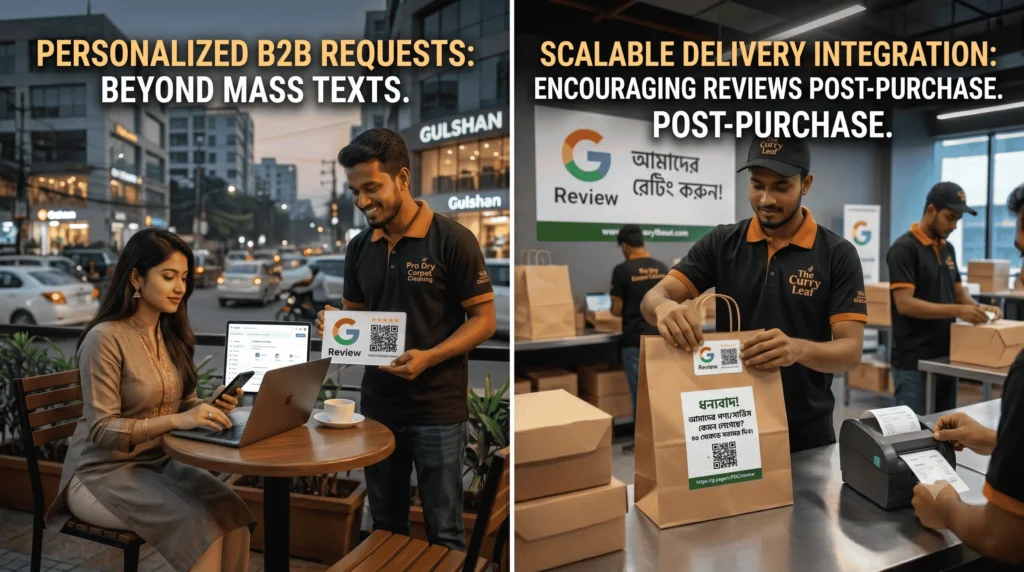
Getting your customers to leave feedback on Google in Bangladesh requires a different approach than in Western markets. You cannot rely solely on automated email funnels when your customer base runs on mobile internet, communicates via WhatsApp, and spends hours stuck in Dhaka traffic.
If you operate a physical storefront or a local service business in Dhaka, Chittagong, or any other city across the country, your visibility in map searches depends directly on your review profile. Google uses these signals to determine which businesses deserve to sit in the top three map results.
I led local SEO strategies for Pro Dry Carpet Cleaning, securing an 80.2% Share of Local Voice through systematic customer feedback collection. This guide shows you the exact process I use to build a consistent stream of feedback from Bangladeshi consumers. You will learn how to bypass technical friction, create clear templates, and handle negative feedback professionally.
Before You Start
Before sending out your first request, ensure you have the necessary access and assets ready.
- Estimated Time: 2 hours for initial setup, then 5 minutes per customer.
- Difficulty Level: Beginner to Intermediate.
- Prerequisites: A verified Google Business Profile (formerly Google My Business) and admin access to your primary customer communication channels.
What You Need
- A verified Google Business Profile.
- An active business WhatsApp account or an SMS gateway provider like BoomCast or Greenweb.
- A dedicated Google review shortcut link.
The Desired Outcome
After following this guide, you will possess a repeatable system that secures feedback within minutes of a completed transaction, increasing your visibility in local search results.
Step 1: Generate Your Direct Google Review Short Link
Do not ask customers to search for your business name on Google, click your profile, and find the review tab. That requires too many steps, and mobile users will drop off immediately. You must provide a single link that opens the review composition box instantly.
- Log into the Google account that manages your listing and search for your exact business name.
- In the merchant menu that appears above the search results, click Ask for reviews.
- A pop-up window will display a shortened URL (e.g., https://g.page/r/XYZ/review).
- Copy this link and save it in a text file on your phone or computer.
Common Pitfall: Sending the standard link to your Google Maps profile page. This forces the customer to navigate your profile to find the review section, causing a significant drop in completion rates.
Step 2: Set Up Mobile-First Delivery Channels
In Bangladesh, email open rates for local services and retail are notoriously low. Your customer review strategy Dhaka must focus on mobile channels where your audience is active.
[Transaction Completed]
│
▼
[Choose Channel]
├── (Tech-Savvy / B2B) ──► Send Personalized WhatsApp Message
└── (Mass Market / Retail) ─► Send Branded SMS with Short Link
Option A: WhatsApp Business Setup
If you run a service business or a premium retail store, create a quick-reply template inside your WhatsApp Business app.
- Open WhatsApp Business, go to Settings, and select Quick Replies.
- Click the + icon to add a new shortcut.
- Set the shortcut keyword to /review.
- Paste your personalized message along with the short link generated in Step 1.
Option B: Bulk SMS Gateway Setup
For high-volume retail or e-commerce businesses, use local SMS gateways like Greenweb or BoomCast to send transactional SMS review requests.
- Log into your SMS gateway panel.
- Create a dynamic template that triggers exactly one hour after a product delivery or service completion.
- Ensure your link is formatted clearly at the end of the text message.
Step 3: Script Your Customer Review Request Templates
Your messages must be direct, polite, and written in the language your customers use daily. In Bangladesh, a mix of clear English or conversational Bangla works best depending on your specific demographic.
Template 1: Premium Services (English)
“Hi [Name], thank you for choosing [Business Name] today. I hope you liked our service. Could you spare 30 seconds to share your experience on Google? Your feedback helps our local team grow: [Your Short Link]”
Template 2: Retail & E-Commerce (Bangla)
“প্রিয় [Name], [Business Name] থেকে কেনাকাটা করার জন্য ধন্যবাদ। আমাদের পণ্য/সার্ভিস আপনার কেমন লেগেছে? মাত্র ৩০ সেকেন্ড সময় নিয়ে এখানে আপনার মতামত জানান: [Your Short Link]”
When I analyze local business performance using tools like Ahrefs, I examine the specific terms customers use within reviews. Encourage your clients to mention the specific service or area (like “carpet cleaning in Gulshan” or “hair oil in Dhanmondi”) to help Google understand your contextual relevance.
Step 4: Train Your Frontline Staff for In-Person Requests
The highest conversion rate for feedback occurs at the exact moment a satisfied customer pays their bill or completes a service. Your service delivery staff must be trained to ask for reviews directly.
- Instruct your delivery agents, technicians, or cashiers to ask a verbal closing question: “Are you satisfied with our work today?”
- If the customer says yes, the staff member responds: “Thank you! I will send a quick link to your WhatsApp now. A five-star rating helps my performance review tremendously.”
- The staff member immediately triggers the WhatsApp or SMS template before leaving the venue or finishing the checkout.
Personal connection drives review velocity in the local market. When a real person asks for assistance face-to-face, customers are far more likely to open the link and complete the task.
Step 5: Implement a Review Response Protocol
Google monitors how actively you manage your listing. You must respond to every piece of feedback within 24 to 48 hours to signal that your business is active.
- Go to your Google Business Profile dashboard.
- Click on Read reviews.
- For positive entries, write a unique thank-you note that includes your core service name naturally.
- For critical entries, use the negative review handling protocol detailed in the section below.
Common Mistakes to Avoid
- Buying Fake Profiles: Purchasing fake reviews from local Facebook groups or freelance platforms will get your listing permanently suspended. Google detects unnatural patterns easily.
- Review Stuffing from the Same IP: Do not ask customers to use a tablet or phone inside your office while connected to your corporate Wi-Fi network. Google filters out multiple reviews coming from a single IP address, marking them as spam.
- Offering Direct Financial Incentives: Do not offer cash, bKash discounts, or free products in exchange for 5-star ratings. This violates Google’s terms of service. Instead, frame the request around supporting local business growth.
- Ignoring Unrated Reviews: Leaving ratings without text unanswered is a missed opportunity. Always respond to star-only feedback with a polite note acknowledging the customer.
What to Do Next
Once your collection system runs consistently, focus on technical optimizations to maximize your map rankings. Read my guide on Technical SEO Audit Bangladesh to ensure search engine crawlers can index your website pages cleanly alongside your local map profile. If you run a digital storefront, look into my Ecommerce SEO Services to align your product schemas with your growing map prominence.
FAQ
How many reviews do I need to rank first in Dhaka?
There is no fixed number. Rankings depend on proximity, relevance, and your overall review velocity compared to your direct competitors in your specific area.
Can I delete a fake negative review on my profile?
You cannot delete it yourself. You must flag the comment as inappropriate through your merchant dashboard. If it violates Google’s content policies, their team will remove it.
Does the language of the review matter for local rankings?
Google understands both English and Bangla text. Reviews written in English containing specific neighborhood names or service terms help visibility, but Bangla comments are equally effective for local contextual searches.
What should I do if a competitor attacks my listing with one-star ratings?
Flag the suspicious entries immediately for policy violation. Reply to each one neutrally stating that you cannot find their name or phone number in your customer database, and invite them to contact your office directly to resolve the issue.